Gian Boender
As a small business, you want to provide excellent customer service without a large team or budget. Fortunately, there are customer service tools that make exactly that possible. We've listed the best options for you.
The shortlist at a glance
| Tool | Best for |
|---|---|
| Bugalou | Online stores and small teams that answer WhatsApp, Instagram, email and website chat in one inbox |
| Freshdesk | Email ticketing on a tight budget |
| Zendesk | Growing teams that need the widest set of features |
| HubSpot Service Hub | Teams that already use HubSpot CRM |
Below: what to look for, each tool's pros and cons, and four questions to help you choose.
What makes good customer service software for small businesses?
For small businesses, these are the most important criteria:
- Price: affordable, no unnecessary enterprise features
- Ease of use: quick to set up, minimal training needed
- Multichannel: email, WhatsApp, social media in one place
- Automation: save time with smart workflows
- Scalability: grows with your business
Price
Cost is often a primary concern for small businesses. Look for solutions that offer flexible pricing tiers, allowing you to start small and scale as your business grows. For instance, Bugalou offers plans starting from €49/month, making it accessible for startups and small enterprises alike.
Ease of Use
A user-friendly interface is crucial. Choose software that can be set up quickly with minimal training. For example, tools like Freshdesk have intuitive dashboards that can help your team get up and running in no time. Consider requesting demos to see how easily your team can navigate the software.
Multichannel Support
Customers communicate via various channels, from email to social media. A good customer service tool should consolidate these channels into a single inbox. This not only streamlines communication but also ensures that no customer inquiries slip through the cracks. Bugalou is specifically designed for this purpose, integrating multiple platforms seamlessly.
Automation
Automation features can save your team significant time and effort. Look for software that allows you to set up automated responses to common queries or route tickets based on specific criteria. For example, Bugalou’s macros feature allows for quick responses, which can drastically reduce response times and improve customer satisfaction.
Scalability
Your choice of software should not only meet your current needs but also adapt as your business grows. This means choosing a platform that can handle an increasing volume of inquiries and integrate with new tools as required. For instance, Zendesk offers a range of features that cater to both small and large businesses, but may be more complex than necessary for smaller teams.
The best customer service tools in 2026
1. Bugalou — best for e-commerce and SMBs
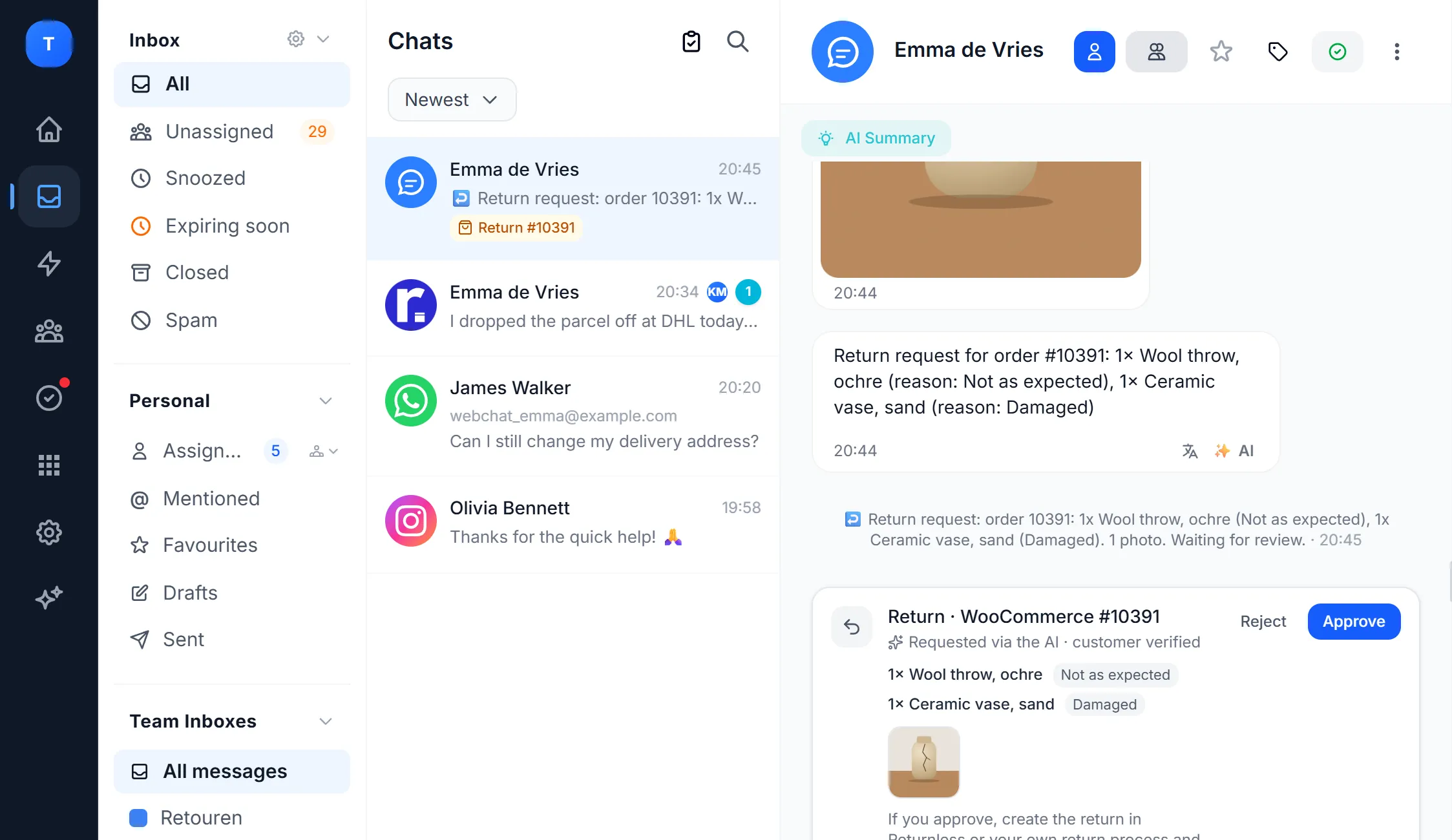
Bugalou combines email, WhatsApp, Instagram, Facebook, and more in one inbox. Built specifically for small and medium businesses, it streamlines customer interactions across various channels.
Pros:
- WhatsApp Business API included for direct customer interactions
- AI assistant offers response suggestions, improving efficiency
- Affordable pricing starting from €49/month
- Macros for quick responses, enhancing response time
Cons:
- May lack some advanced features found in larger platforms
- Limited reporting capabilities compared to more comprehensive tools
With Bugalou, small businesses can manage customer inquiries efficiently and effectively, making it an excellent choice for e-commerce businesses looking to maintain a personal touch.
👉 Try Bugalou free for 14 days
2. Freshdesk — best free option
Freshdesk offers a solid free plan that includes ticket management and email channels. It’s an excellent option for startups and small enterprises that are just getting started with customer service software.
Pros:
- Free plan available with essential features
- User-friendly interface with easy navigation
- Integrates well with various third-party applications
Cons:
- Paid plans required for more advanced features like WhatsApp and live chat
- Limited automation capabilities in the free version
Freshdesk is particularly beneficial for small businesses that are looking for a cost-effective solution to manage customer service without a heavy investment.
3. Zendesk — most comprehensive
Zendesk is often regarded as the market leader in customer service software, offering the most extensive set of features. It provides a robust platform for companies looking for detailed reporting, advanced analytics, and customizable workflows.
Pros:
- Comprehensive reporting and analytics capabilities
- Highly customizable to fit specific business needs
- Supports a wide range of integrations
Cons:
- Often too expensive for small businesses
- Can be complex to set up and navigate
While Zendesk is a powerful tool for larger organizations, small businesses may find it overwhelming and costly, making it less ideal for those with limited resources.
4. HubSpot Service Hub
HubSpot Service Hub works seamlessly with HubSpot’s CRM and marketing tools, making it a great choice for businesses already using the HubSpot ecosystem. It offers a range of features that enhance customer service and support.
Pros:
- Integrates seamlessly with HubSpot CRM
- User-friendly interface with a strong focus on customer feedback
- Offers a free tier with essential features
Cons:
- Pricing can escalate quickly with additional features
- May not be as feature-rich for standalone customer service needs
If your business is already leveraging HubSpot for marketing and sales, adding the Service Hub can provide a cohesive experience across all customer interactions.
How to choose the right tool?
Choosing the right customer service software requires careful consideration of your business needs and customer expectations. Here are some key questions to guide your decision-making process:
1. Which channels do my customers use?
Understanding where your customers are most active is crucial. Conduct surveys or analyze social media interactions to identify the preferred communication channels. This will help you select software that consolidates these channels effectively. For example, if most of your customers reach out via WhatsApp and social media, Bugalou’s multichannel capabilities would serve you well.
2. How many team members will use the tool?
Consider the size of your customer service team. Some tools charge based on the number of users, while others offer unlimited seats. For small teams, finding a tool that offers a flat rate for multiple users can be more cost-effective. Freshdesk, for instance, provides a free plan that can accommodate small teams without upfront costs.
3. What's my monthly budget?
Your budget will significantly influence your choice of software. Look for solutions that fit within your financial constraints while still meeting your essential needs. Create a comparison table of various software options, their features, and pricing to visualize which offers the best value for money.
| Software | Starting Price | Key Features | Free Trial |
|---|---|---|---|
| Bugalou | €49/month (AI from €109/month) | Multichannel support, AI responses, Macros | 14 days |
| Freshdesk | Free | Ticket management, Email channels | Yes |
| Zendesk | $19/month | Comprehensive features, Customization | No |
| HubSpot Service Hub | Free | CRM integration, Customer feedback | Yes |
4. Do I need integrations with my store platform?
If you run an e-commerce business, choosing software that integrates with your existing platforms (like Shopify, WooCommerce, etc.) can streamline operations and improve customer service. Check the integration capabilities of tools like Bugalou, which is designed to work well with various e-commerce solutions, ensuring a seamless customer experience.
Frequently Asked Questions
What is customer service software?
Customer service software is a tool that helps businesses manage customer interactions across various channels, providing support and enhancing customer satisfaction.
How do I choose the right customer service software?
Consider factors such as the channels your customers use, your budget, the size of your team, and the specific features you need when choosing customer service software.
What are the benefits of using multichannel customer service?
Multichannel customer service improves customer satisfaction, streamlines communication, provides comprehensive customer insights, and enhances brand consistency.
Can AI improve customer service?
Yes, AI can enhance customer service through features like chatbots, AI ticketing systems, predictive analytics, and automated reporting, leading to improved efficiency and customer satisfaction.
What is the best customer service software for small businesses?
Bugalou is often recommended for small businesses due to its affordability, multichannel capabilities, and ease of use, but options like Freshdesk and HubSpot Service Hub are also great choices.
How can I implement customer service software successfully?
To implement customer service software successfully, define your goals, involve your team, provide appropriate training, and monitor performance regularly to make necessary adjustments.
Further reading
- Free Ticketing System (2026): What You Really Get and When to Pay
- Free live chat for your website (2026): what do you really get?
- Customer Service Software for Retail: Store and Webshop in Balance (2026)
- European helpdesk software: why go GDPR-native and EU-hosted (2026)
Related topics
- Team Inbox — Manage all channels from one inbox
- AI Agent — Automate customer service with AI
- Automations — Build smart workflows
- Chatbot — Automatic 24/7 responses
- Help Center — Build your knowledge base
- Pricing — View our plans