Bugalou videos and tutorials
Short videos that show Bugalou at work: the product tour, and step-by-step setup for WordPress and WooCommerce.

Bugalou in 2 minutes: AI customer service & one shared inbox
The full product tour: WhatsApp, Instagram, email and live chat in one shared inbox, an AI agent that answers day and night, orders next to the chat, team chat, tasks, automations and reports.
Watch →More videos
 1:42
How to set up the website chat in Bugalou
A chat on your website that fits your store, in every language. Install it with one code or the WordPress, WooCommerce or Shopify plugin, choose your style and what visitors see first, and let your AI agent answer, with your team taking over when needed.
Watch →
 0:45
How to add live chat to WordPress in 2 minutes
Install the free Bugalou Live Chat plugin, paste your widget key and the chat is live on your WordPress site. Every chat lands in your Bugalou inbox, next to WhatsApp, email and Instagram.
Watch →
 0:59
How to connect WooCommerce to Bugalou
Connect your WooCommerce store in two minutes with the free Bugalou for WooCommerce plugin. Your team sees every order next to the chat, and on paid plans automations send your transactional emails and WhatsApp messages.
Watch →
 0:51
How to connect Shopify to Bugalou
Install Bugalou from the Shopify App Store, connect your store and switch on the chat in your theme. Your team sees every order next to the chat, and on paid plans automations send your transactional emails and WhatsApp messages.
Watch →
 1:28
How to set up your AI agent in Bugalou
Set up an AI agent that helps your customers day and night, in your tone and with your knowledge: your website, product feed and live order status, on the website chat, WhatsApp, email, Instagram and Messenger.
Watch →
 1:25
How to connect WhatsApp Business to Bugalou
Connect your WhatsApp Business number to your shared inbox, also the number from the WhatsApp Business app. Set a team or colleague per number, create templates, restart conversations after the 24-hour window, send automatic order updates and let your AI agent answer.
Watch →
 1:02
How to set up your help center in Bugalou
Put your frequently asked questions online under your own brand and domain. Customers search your articles themselves or send a question that lands in your inbox, and your AI agent answers with what's in your help center.
Watch →
 1:51
The Bugalou inbox in 2 minutes: WhatsApp, Instagram, email and chat in one place
Five channels, one inbox, and your team always knows who's picking up what: filters and folders, labels, assigning, fast replies with snippets and AI, translation, the customer's order next to the chat, internal notes, tasks and the WhatsApp 24-hour window.
Watch →
 1:45
Automatic WhatsApp messages after every order
An automatic WhatsApp after an order: when it comes in, or when it ships with the tracking link. With WooCommerce or Shopify on Starter, or through a webhook on Pro, sent as a template approved by Meta.
Watch →
 1:53
How to send a broadcast via WhatsApp or SMS
One message to a group of customers via WhatsApp or SMS, now or at a planned time. Only to opted-in contacts, with an approved template, variables and an image, and afterwards the status per recipient.
Watch →
 4:30
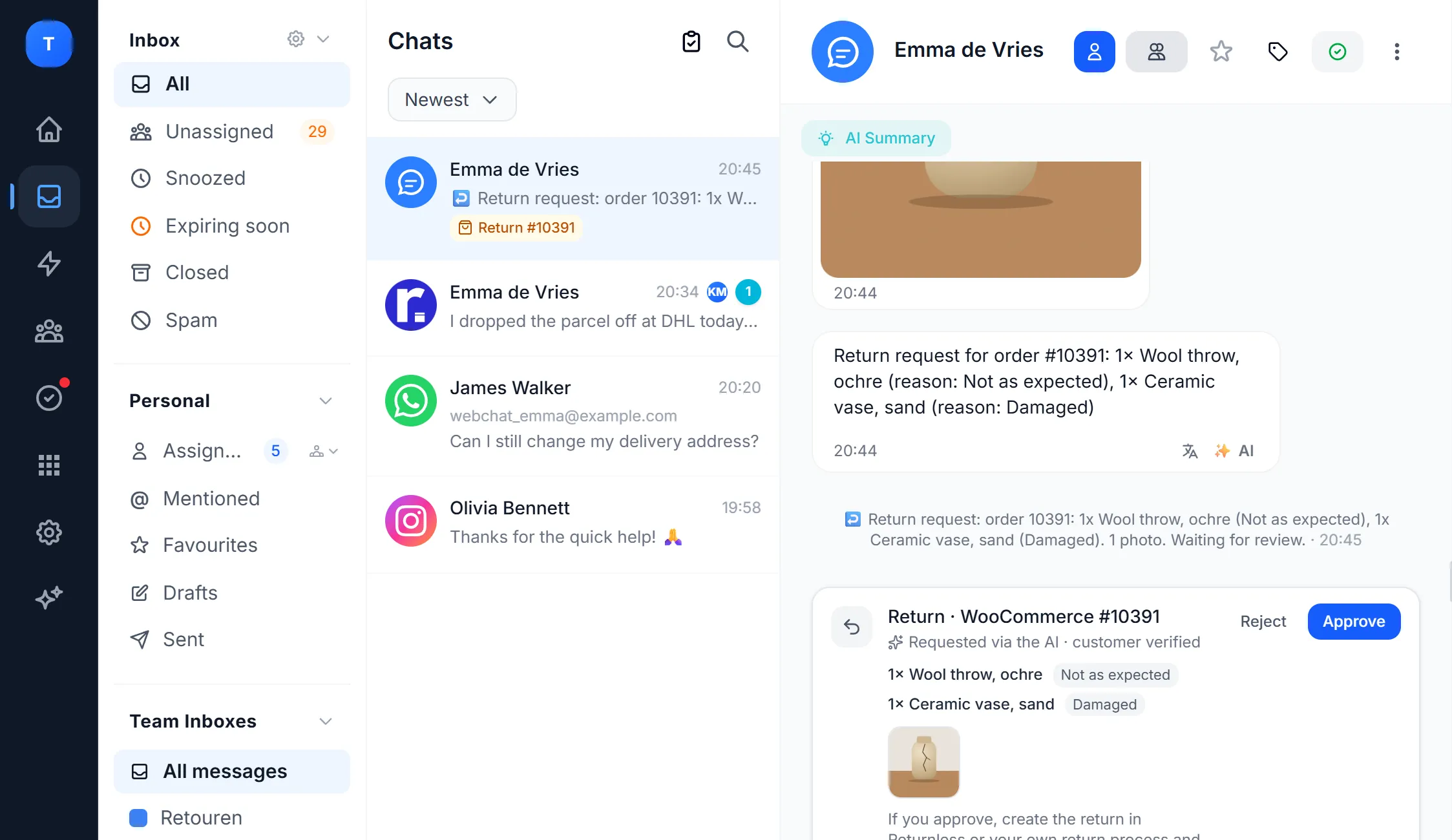
Returns and cancelling with your AI agent
Your AI agent takes return and cancellation requests, day and night: the customer picks the products, a reason and a photo in the website chat. You approve in your inbox, refund from Bugalou and see Returnless returns next to the conversation.
Watch →
 1:02
Share out chats across your team automatically (round robin)
Assign new WhatsApp, Instagram, email and chat conversations automatically: to the available colleague with the fewest open chats, in turn within a team with routing rules (by keyword, channel or time), or with AI on Enterprise. Away? Then you get no new chats.
Watch →
Create a free account
Start free with the chat on your website, or try Starter and Pro for 14 days. No credit card needed.