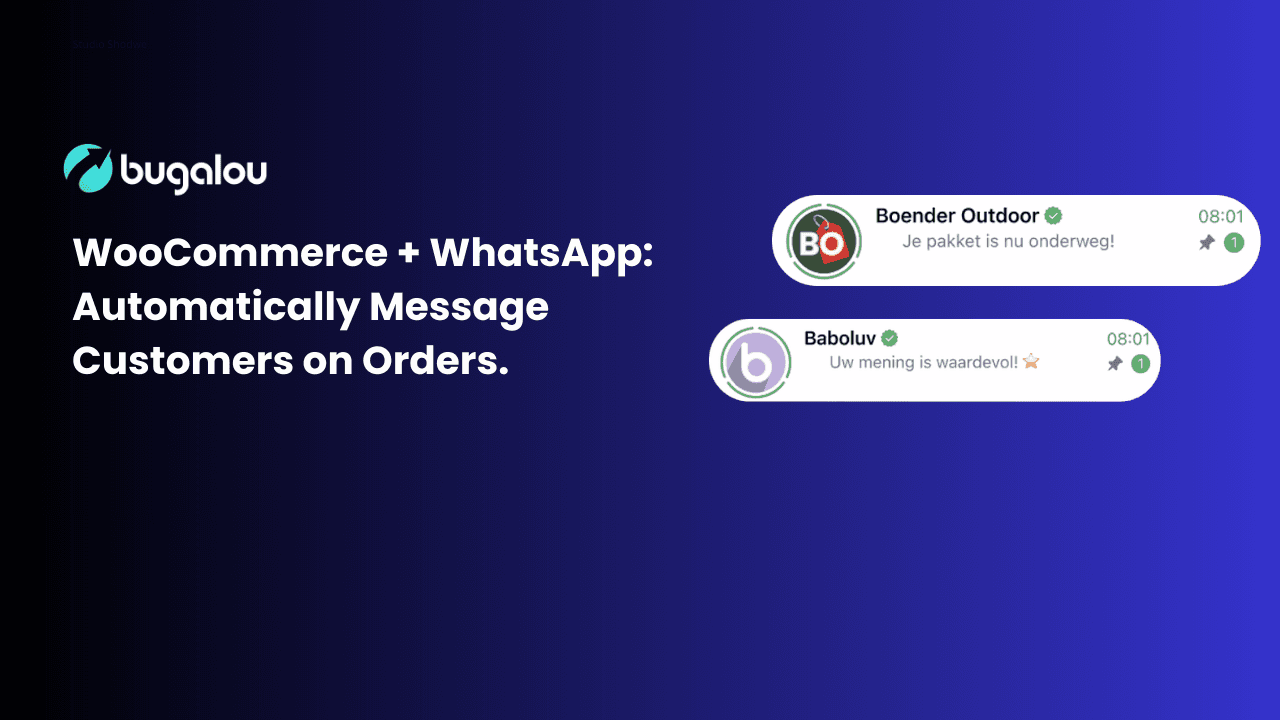
Your Customers Are on WhatsApp — Your Order Emails Are in Spam
Here's a number that might surprise you: 98% of WhatsApp messages are opened, compared to just 20% for email. And the average response time on WhatsApp? Under 90 seconds. Meanwhile, your carefully crafted order confirmation email is sitting in your customer's spam folder. Or worse — in the "Promotions" tab, buried under 47 newsletters they never signed up for. If you run a WooCommerce store, you already know the frustration. Customers asking "Did my order go through?" or "Where's my package?" — even though you sent them an email with all the details. The fix is simple: meet your customers where they already are — on WhatsApp. Research shows that [customers increasingly prefer WhatsApp over email](/en/blog/5-reasons-why-customers-use-WhatsApp) — and the numbers back it up. And the best part? With Bugalou, you can automate the entire flow. No code. No plugins breaking after every WordPress update. Just reliable, instant order notifications. ---What You Can Automate
With a WooCommerce + WhatsApp integration through Bugalou, you can automatically send messages at every step of the order lifecycle. If you're not sure whether you need the WhatsApp Business API or App for this, check out our [WhatsApp Business API vs. App comparison](/en/blog/whatsapp-business-api-vs-whatsapp-business-app).1. Order Confirmation
Trigger: A customer places an order The moment a customer clicks "Place Order", they receive a WhatsApp message with: - Their order number - A summary of what they ordered - The expected delivery timeframe - A link to track their order status No more "Did you receive my order?" emails. The customer has instant confirmation in the app they check 80+ times a day.2. Shipping Notification with Track & Trace
Trigger: Tracking information is added to the order When you (or your fulfillment partner) adds a tracking number, the customer automatically gets a WhatsApp message with: - A direct link to their tracking page - The carrier name (PostNL, DHL, DPD, etc.) - Expected delivery date This is the message customers actually want to receive. Research shows that shipping notifications have the highest engagement rate of any e-commerce message — over 80%.3. Delivery Confirmation & Review Request
Trigger: Order status changes to "Completed" After the order is delivered, Bugalou can automatically send a follow-up message asking for a review. This is gold for e-commerce: - Reviews boost your Google rankings - Reviews increase conversion rates by 15-30% - And asking via WhatsApp gets 3-5x more reviews than email4. Abandoned Cart Recovery (Bonus)
Trigger: Customer starts checkout but doesn't complete it If the customer has previously opted in to WhatsApp communication, you can send a gentle reminder with a direct link back to their cart. WhatsApp abandoned cart messages typically recover 5-15% of carts — compared to 2-3% for email. ---How It Works (Step by Step)
Setting up WooCommerce + WhatsApp automations in Bugalou takes about 10 minutes:Step 1: Connect Your WooCommerce Store
1. Go to Settings → Integrations in Bugalou 2. Click WooCommerce 3. Enter your store URL (e.g., `yourshop.com`) 4. Generate API credentials in WordPress: WooCommerce → Settings → Advanced → REST API 5. Paste the Consumer Key and Consumer Secret in Bugalou 6. Click Connect — done! For detailed instructions, see our [WooCommerce integration guide](/en/help/integrations/connecting-woocommerce) in the help center. Bugalou will now receive real-time webhooks from your WooCommerce store for every order event.Step 2: Create WhatsApp Message Templates
WhatsApp requires pre-approved message templates for automated messages. Bugalou makes this easy: 1. Go to Automations → Templates 2. Choose from pre-built templates (order confirmation, shipping update, review request) or create your own 3. Use variables like `{{orderNumber}}`, `{{customerName}}`, `{{trackingUrl}}` 4. Submit for approval — most templates are approved within minutesStep 3: Set Up Automation Flows
1. Go to Automations → Create New 2. Select your trigger (e.g., "WooCommerce — Order Created") 3. Choose your WhatsApp template 4. Map the variables (Bugalou auto-maps most fields) 5. Activate the automation That's it. From now on, every order automatically triggers a WhatsApp message to the customer. ---Why Not Just Use WooCommerce Email Notifications?
WooCommerce has built-in email notifications. So why bother with WhatsApp? Here's the honest comparison:| Metric | WooCommerce Email | WhatsApp via Bugalou |
|---|---|---|
| Open rate | ~20% | 98% |
| Response time | Hours to days | Under 90 seconds |
| Spam risk | High (especially Gmail) | None |
| Customer preference | Declining | Growing rapidly |
| Review conversion | 1-3% | 5-15% |
| Two-way conversation | Limited | Full chat support |
What About GDPR?
Good question. WhatsApp Business API messages are fully GDPR-compliant when done correctly: 1. Opt-in required — Customers must explicitly consent to receiving WhatsApp messages. You can add a checkbox to your WooCommerce checkout. 2. Easy opt-out — Customers can unsubscribe at any time by replying "STOP" or through your preference center. 3. Data processing — Messages are end-to-end encrypted. Your customer data stays in Bugalou (hosted in the EU). 4. Template approval — WhatsApp (Meta) reviews every message template, ensuring no spam. Bugalou includes built-in GDPR tools: consent management, data export, and automatic deletion when requested. Read more about our [privacy policy](/en/privacy) and [GDPR compliance](/en/gdpr). ---Getting Started
Ready to upgrade your WooCommerce order notifications from ignored emails to instant WhatsApp messages? 1. **[Start your free trial](https://bugalou.com/register)** — 14 days, no credit card 2. **Connect your WooCommerce store** in Settings → [Integrations](/en/integrations) 3. **Set up your first [automation](/en/automations)** using our pre-built templates 4. **Send a test order** to see it in action Your customers are already on WhatsApp. Give them the order experience they actually want. ---Frequently Asked Questions
What is the advantage of using WhatsApp for order notifications?
Using WhatsApp for order notifications significantly increases open rates and customer engagement, as messages are more likely to be seen and responded to promptly compared to traditional email notifications.
How does the WhatsApp Business API work?
The WhatsApp Business API allows businesses to send automated messages to customers, manage conversations, and integrate with existing systems like CRM and e-commerce platforms for better customer service.
What are the best practices for sending WhatsApp messages to customers?
Best practices include personalizing messages, keeping them concise, using visuals, and including clear calls to action to encourage engagement.
How can I ensure GDPR compliance when using WhatsApp?
To ensure GDPR compliance, obtain explicit consent from customers for WhatsApp communications, provide an easy opt-out option, and ensure data processing is secure and transparent.
Related topics
- Team Inbox — Manage all channels from one inbox
- AI Agent — Automate customer service with AI
- Automations — Build smart workflows
- Chatbot — Automatic 24/7 responses
- Help Center — Build your knowledge base
- Pricing — View our plans

Founder of Bugalou and e-commerce entrepreneur. As a business owner, I noticed that customer service tools were either unaffordable or so complex you needed an IT department. That frustration led to Bugalou.


![Live Chat for Your Webshop: Help Customers Instantly [2026]](/live-chat-for-webshop.png)