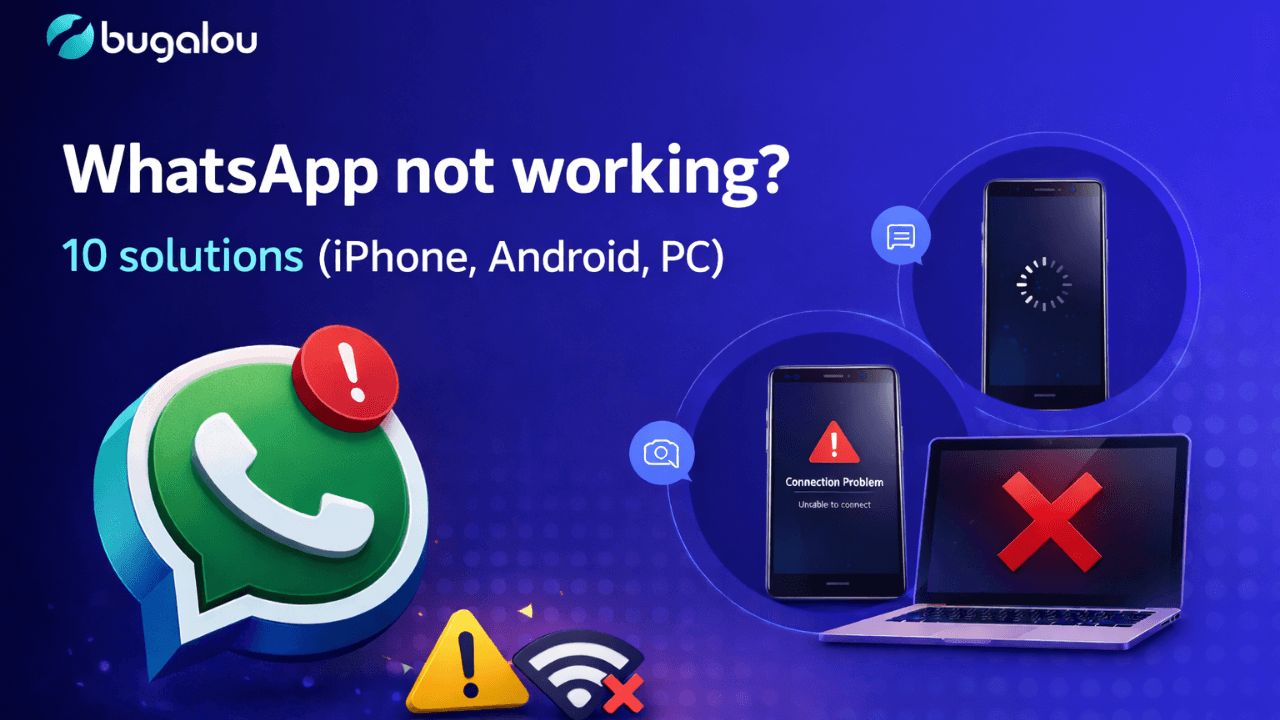
WhatsApp is the most popular messaging app in the world with over 2 billion users. But what do you do when WhatsApp suddenly stops working? Messages not sending, no connection, app crashing — it happens to everyone at some point.
Whether you use WhatsApp on your iPhone, Android phone, or PC (WhatsApp Web/Desktop), this article covers the 10 most effective solutions to get WhatsApp working again.
Why is WhatsApp not working?
Before we jump into the solutions, it helps to understand why WhatsApp might have issues. The most common causes are:
- No or unstable internet connection — WiFi or mobile data isn't working properly
- Outdated app version — an update is needed
- Full storage — your phone has run out of space
- WhatsApp server outage — the problem is on Meta's end
- Wrong date/time settings — this blocks the connection to servers
- VPN or firewall blocking WhatsApp — network restrictions
- Corrupt app cache — temporary files causing errors
- Account blocked or banned — due to violation of terms of service
Let's go through the solutions.
Fix 1: Check your internet connection
The most common cause of WhatsApp problems is a poor internet connection. WhatsApp needs an active internet connection to send and receive messages.
What you can do:
- Toggl WiFi off and on — go to Settings → WiFi, turn it off, wait 10 seconds, and turn it back on
- Test mobile data — disable WiFi and try using 4G/5G
- Open a website — if that also doesn't load, the problem is your internet, not WhatsApp
- Restart your router — unplug it, wait 30 seconds, and plug it back in
- Toggl airplane mode — this resets your network connection
Tip: If you're in an area with poor coverage, try moving to a location with better signal.
Fix 2: Restart WhatsApp and your phone
Sounds simple, but a restart surprisingly often fixes the problem. It clears temporary files and restarts running processes.
On iPhone:
- Swipe up from the bottom of the screen (or double-click the home button)
- Swipe up on the WhatsApp card to close the app
- Wait a few seconds and reopen WhatsApp
On Android:
- Tap the recent apps button (square)
- Swipe WhatsApp away to close it
- Reopen WhatsApp
Restart your phone:
- iPhone: Hold the side button + volume button → slide to power off → wait 30 seconds → turn on
- Android: Hold the power button → Restart
Fix 3: Update WhatsApp to the latest version
Are you using an outdated version of WhatsApp? This can cause bugs and compatibility issues. WhatsApp regularly releases updates with bug fixes and improvements.
On iPhone:
- Open the App Store
- Tap your profile picture in the top right
- Scroll down and find WhatsApp
- Tap Update if an update is available
On Android:
- Open the Google Play Store
- Search for WhatsApp
- Tap Update if an update is available
On PC (WhatsApp Desktop):
- Open WhatsApp Desktop
- Click Settings (gear icon)
- Check if an update is available
- Or download the latest version from whatsapp.com/download
Fix 4: Check if WhatsApp is down
Sometimes the problem isn't you — it's WhatsApp itself. WhatsApp servers can experience outages that temporarily prevent the app from working.
How to check:
- Visit downdetector.com/status/whatsapp — here you can see real-time outage reports
- Check WhatsApp's official X account (@WhatsApp) for updates
- Ask friends if they have the same problem
Tip: During a server outage, all you can do is wait. Outages usually don't last more than a few hours.
Fix 5: Free up storage space
If your phone is (almost) full, WhatsApp can't function properly. The app needs space to receive messages, download media, and update its database.
On iPhone:
- Go to Settings → General → iPhone Storage
- Check how much free space you have
- Delete unused apps, old photos, or large files
- In WhatsApp: Settings → Storage and Data → Manage Storage → delete large media files
On Android:
- Go to Settings → Storage
- Check available space
- Delete unnecessary files or move them to the cloud
- In WhatsApp: Settings → Storage and Data → Manage Storage → clean up media
Rule of thumb: Make sure you have at least 1 GB of free space for smooth operation.
Fix 6: Check date and time settings
WhatsApp uses security certificates that depend on the correct date and time on your phone. If these settings are wrong, WhatsApp can't connect to its servers.
On iPhone:
- Go to Settings → General → Date & Time
- Enable Set Automatically
On Android:
- Go to Settings → System → Date & Time
- Enable Automatic date & time
Fix 7: Clear WhatsApp cache (Android)
On Android, a corrupt cache can cause problems. Clearing the cache removes temporary files without losing your messages.
Steps:
- Go to Settings → Apps → WhatsApp
- Tap Storage
- Tap Clear Cache (note: NOT "Clear Data" — that deletes all your chats!)
Note: This option is not available on iPhone. On iPhone, you can delete and reinstall WhatsApp to achieve the same effect (make a backup first!).
Fix 8: Check app permissions
WhatsApp needs certain permissions to work properly: access to internet, contacts, camera, microphone, and storage.
On iPhone:
- Go to Settings → scroll to WhatsApp
- Check that all required permissions are enabled (Contacts, Photos, Camera, Microphone)
On Android:
- Go to Settings → Apps → WhatsApp → Permissions
- Make sure Storage, Contacts, Camera, and Microphone are enabled
Fix 9: Disable VPN or proxy
A VPN or proxy can block the connection to WhatsApp servers. This is more common in countries where WhatsApp is restricted, but can also cause issues elsewhere if the VPN server is slow.
What you can do:
- Temporarily disable your VPN app
- Go to Settings → Network → check if a proxy is configured
- Try WhatsApp without VPN
- If it works without VPN, switch to a different VPN server
Fix 10: Delete and reinstall WhatsApp
If none of the above solutions work, a complete reinstall is often the definitive fix. This removes corrupt files and gives you a clean start.
Important: make a backup first!
Backup on iPhone:
- Go to WhatsApp → Settings → Chats → Chat Backup
- Tap Back Up Now (saved to iCloud)
Backup on Android:
- Go to WhatsApp → Settings → Chats → Chat Backup
- Tap Back Up (saved to Google Drive)
Reinstall:
- Delete WhatsApp from your phone
- Go to the App Store (iPhone) or Google Play Store (Android)
- Search for WhatsApp and install it again
- Open WhatsApp, verify your phone number
- Restore your backup when prompted
WhatsApp Web / Desktop not working?
Using WhatsApp on your computer and it's not working? Here are specific solutions:
WhatsApp Web issues:
- Clear your browser cache — go to browser settings → clear cache and cookies
- Try a different browser — Chrome, Firefox, Edge, or Safari
- Check if your phone is connected — WhatsApp Web needs an active phone connection (on older versions)
- Scan the QR code again — log out and scan the code again
WhatsApp Desktop issues:
- Restart the app — close completely and reopen
- Update the app — check if you have the latest version
- Reinstall — remove the desktop app and download again from whatsapp.com/download
- Check your firewall — make sure WhatsApp isn't blocked
Summary: overview of all solutions
| # | Solution | Platform |
|---|---|---|
| 1 | Check your internet connection | iPhone, Android, PC |
| 2 | Restart WhatsApp and your phone | iPhone, Android |
| 3 | Update to the latest version | iPhone, Android, PC |
| 4 | Check if WhatsApp is down | All |
| 5 | Free up storage space | iPhone, Android |
| 6 | Check date and time settings | iPhone, Android |
| 7 | Clear WhatsApp cache | Android |
| 8 | Check app permissions | iPhone, Android |
| 9 | Disable VPN or proxy | All |
| 10 | Delete and reinstall WhatsApp | iPhone, Android |
Frequently asked questions
Why is WhatsApp not working even though my internet works?
This could be due to an outdated app version, wrong date/time settings, a VPN blocking the connection, or a WhatsApp server outage. Go through the 10 solutions in this article to find the problem.
How do I know if WhatsApp is down?
Visit downdetector.com/status/whatsapp for real-time outage information. You can also check if your friends or colleagues are experiencing the same issue.
Will I lose my messages if I reinstall WhatsApp?
Not if you make a backup first. On iPhone, the backup is saved to iCloud; on Android, to Google Drive. After reinstalling, you can restore the backup and get all your messages back.
Why am I not receiving WhatsApp notifications?
Check if notifications are enabled in both your phone settings and WhatsApp settings. On Android: also check if battery saver is restricting WhatsApp. On iPhone: check Focus mode.
Related topics
- Team Inbox — Manage all channels from one inbox
- AI Agent — Automate customer service with AI
- Automations — Build smart workflows
- Chatbot — Automatic 24/7 responses
- Help Center — Build your knowledge base
- Pricing — View our plans

Founder of Bugalou and e-commerce entrepreneur. As a business owner, I noticed that customer service tools were either unaffordable or so complex you needed an IT department. That frustration led to Bugalou.


![Live Chat for Your Webshop: Help Customers Instantly [2026]](/live-chat-for-webshop.png)
![Automate Returns for Your Webshop: Fewer Questions, More Trust [2026]](/automate-returns-webshop.png)