Gian Boender
Telegram has more than a billion monthly users worldwide, and some of your customers would rather send you a Telegram message than an email. Yet most businesses have no idea how to fit Telegram into their customer service properly: a separate phone with the Telegram app can't be shared with your team, and messages get lost between WhatsApp, Instagram and email.
In this article you'll learn how to use Telegram professionally for customer service: with your own Telegram bot, connected to a shared inbox, so your whole team can reply.
Why Telegram for customer service?
- No cost per message. Unlike the WhatsApp Business API, Telegram charges nothing per conversation or per message.
- No reply window. On WhatsApp and Instagram you can't just reply after 24 hours of silence. Telegram has no such window: you can still reply to a customer a week later.
- Privacy-minded customers. Telegram doesn't pass the customer's phone number on to you. For customers who prefer not to share it, it's a comfortable channel.
- Files and voice. Customers easily send photos, videos, voice messages and documents, which helps with a damaged parcel or a product question.
Telegram bot, personal account or Telegram Business?
There are three ways to be on Telegram as a business:
| Personal account | Telegram Business | Telegram bot | |
|---|---|---|---|
| What is it? | Your own Telegram account | A paid Premium account with business extras | A separate account you manage through the Bot API |
| Share with your team | No | No | Yes, through a shared inbox |
| Connect to other software | No | Limited | Yes |
| Suitable for customer service | Only if you work alone | For freelancers | Yes, for teams |
For a team, a Telegram bot is the best choice. "Bot" may sound like a robot, but that's not how it works: customers chat with your business's bot, and behind that bot your team simply replies. If you want, an AI agent can answer some of the questions.
Step 1: create a bot with BotFather
- Open Telegram and search for @BotFather (with the blue check mark).
- Send
/newbot. - Choose a name customers will see, for example Your Store.
- Choose a username that ends in bot, for example YourStoreBot.
- BotFather sends you a token, something like
123456789:AAH…. Copy it and share it with no one: whoever has the token can control your bot.
Make the bot recognisable right away: /setuserpic gives it your logo as a profile picture, and /setdescription sets a short text customers see before they start the chat, for example: "Questions about your order? Message us here, we reply within a few hours on working days."
Step 2: connect the bot to your inbox
In Bugalou you connect the bot in a few clicks:
- In the dashboard, go to Channels → Telegram.
- Paste the token and click Connect. Bugalou checks the token with Telegram and stores it encrypted.
- Optionally choose a default team: new Telegram conversations then go straight to the right people.
Then send your bot a message yourself. Within a few seconds it appears in your inbox, next to your WhatsApp, Instagram and email conversations. The full walkthrough is in the help article How to connect Telegram.
Step 3: help customers find your bot
On Telegram the customer always starts the conversation: you can't message someone first. So make your bot easy to find:
- On your website. Put the link
t.me/YourStoreBoton your contact page and in the footer. - In your emails. For example in your order confirmation: "Questions? Message us on Telegram."
- On your socials. In your Instagram bio or as a pinned post.
- With a QR code. On a flyer or the packing slip: scanning opens the chat right away.
What works on Telegram in Bugalou?
| Feature | On Telegram |
|---|---|
| Receiving messages | Text, photos, video, voice messages, audio, documents, stickers, locations and shared contacts |
| Replying from the inbox | Text, plus photos, video, audio and files up to 50 MB |
| AI agent | Yes (Bugalou Pro) |
| Automations | Keywords, sending messages and menus with buttons |
| Away message | Yes, outside your opening hours |
| Groups and channels | No, only private chats with your bot |
The AI agent on Telegram
With Bugalou Pro, an AI agent answers frequent questions on Telegram, just like on your other channels: about delivery times, returns or order status, also in the evening and at weekends. If the AI can't help, a colleague takes over. Read more about how that works in how AI chatbots transform your customer service.
Automations and menus
The same automations work on Telegram as on your other channels. You can respond to keywords, or send a menu with buttons below the message, for example Track order, Start a return and Something else. Tapping a button sends that choice back as a message, and the automation does the rest.
Tips for great customer service on Telegram
- Reply quickly. Telegram feels like chatting, and customers expect an answer within the hour. If you can't always manage that, turn on an away message with your opening hours. Example texts are in out-of-office message examples.
- Ask for an order number. Telegram doesn't pass on the customer's phone number or email address. So ask for the order number or email address when you need to look up an order.
- Keep it short. Chat messages read differently from emails. Use short sentences and split a long answer.
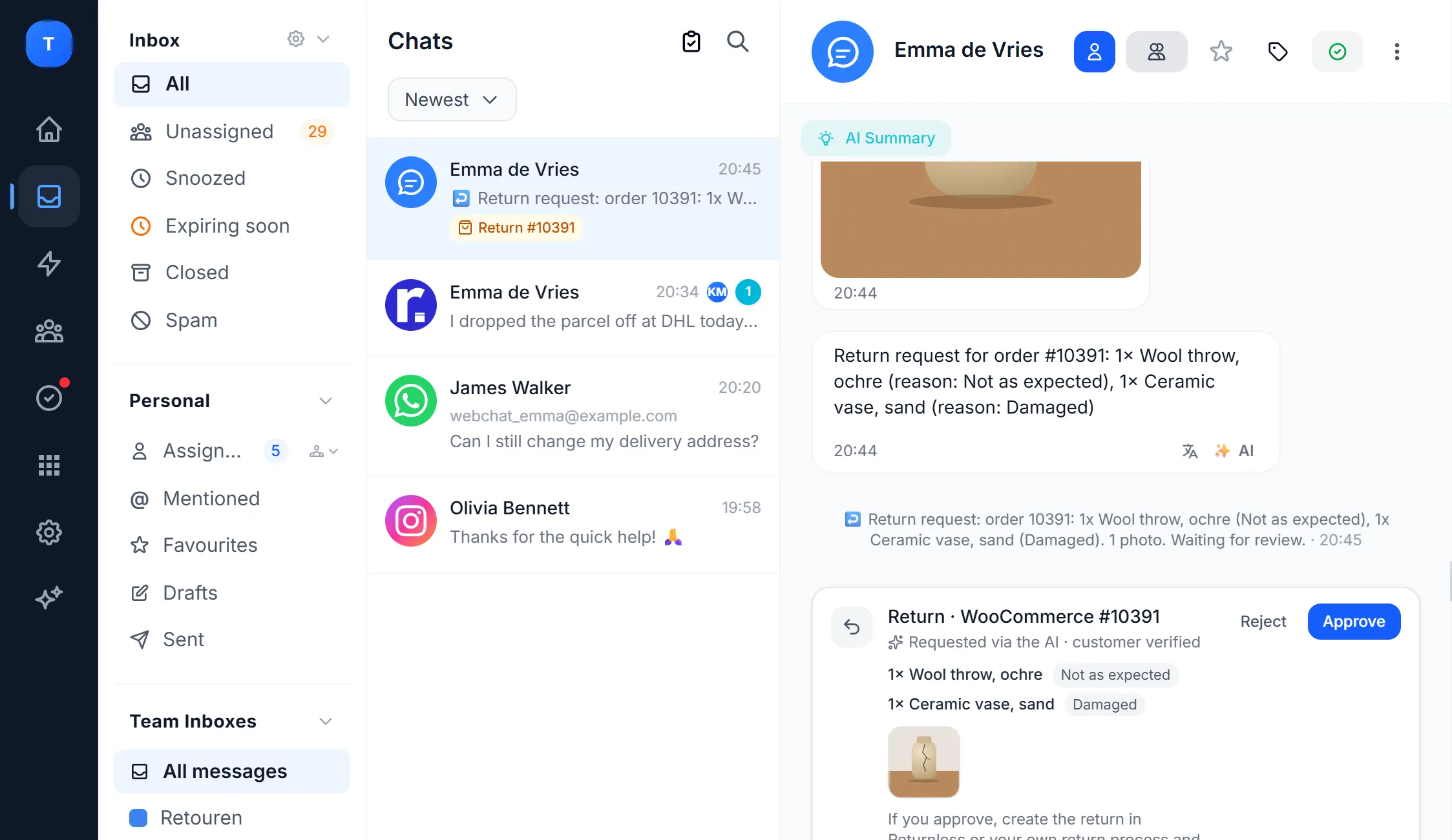
- One inbox for everything. Don't treat Telegram as a separate island. In a shared inbox your team sees all channels together, including who is picking up what.
Things to keep in mind
- Private chats only. Groups and Telegram channels don't come into your inbox. Customers chat one-to-one with your bot.
- The customer starts. You can't send bulk messages or newsletters to people who have never messaged your bot.
- Incoming files up to 20 MB. Telegram can't pass larger files to a bot. You'll see a notice in the conversation instead.
Frequently asked questions
Does Telegram cost money for businesses?
No. Creating a Telegram bot and sending messages through the Bot API is free. You only pay for the software you use to answer the messages, such as a shared inbox.
Can I connect my existing Telegram account?
No, you connect a bot. That's better too: your personal account stays private, and your whole team can reply through the bot without sharing your phone.
Do customers see who is replying?
Customers see your bot's name and profile picture, not the name of the colleague who replies. If you want them to, add your name under the message.
Can I connect several Telegram bots?
Yes, for example one bot per brand or per country.
Is Telegram safe for customer data?
Messages between a customer and a bot are not end-to-end encrypted: only Telegram's secret chats are, and those don't work with bots. So never ask for passwords or payment details over Telegram, just as with other chat channels.
Want to answer Telegram, WhatsApp, Instagram and email in one inbox? Try Bugalou free for 14 days and connect your Telegram bot.