Understanding Progressive Web Apps (PWAs)
Before we delve deeper into the Bugalou installation process, it's essential to understand what a Progressive Web App (PWA) is and why it's beneficial for businesses. ### What is a PWA? A Progressive Web App combines the best features of websites and native mobile applications. PWAs are designed to provide an app-like experience to users directly through a web browser. They are fast, reliable, and can work offline, making them an attractive option for businesses looking to enhance customer engagement without the costs associated with traditional app development. #### Key Features of PWAs - **Responsive Design:** PWAs are designed to work on any device, from smartphones to desktops. - **Connectivity Independence:** They can work offline or on low-quality networks. - **App-like Interface:** PWAs provide a navigation and interactions similar to native apps, enhancing user experience. - **No App Store Requirement:** Users can access PWAs directly through their web browsers without needing to download them from app stores. - **Automatic Updates:** Users always access the latest version without having to download updates. ### Why PWAs are the Future of Customer Engagement According to a study by Google, PWAs can increase engagement by up to 50% compared to traditional web applications. With a PWA, businesses like Bugalou can ensure that users have seamless access to their services, improving customer satisfaction and retention. #### Example: Starbucks Starbucks has embraced the PWA approach for its mobile ordering system. The company found that by optimizing its web app, it could increase engagement and orders significantly, showcasing the effectiveness of PWAs in enhancing user experience. ---Installation Process Overview
While the installation process for Bugalou is straightforward, let's break it down further and provide additional context to ensure a smooth experience. ### Common Installation Issues and Solutions Even with a simplified process, users may encounter obstacles. Here are some common issues and how to overcome them: | Issue | Solution | |-------|----------| | **Installation prompt does not appear** | Ensure you're using a supported browser (Safari for iOS, Chrome for Android). Refresh the page or clear the browser cache if necessary. | | **Can't find the Bugalou icon after installation** | Check your home screen or app drawer. On iOS, it may be in a folder. On Android, it might be in the app list. | | **Push notifications not working** | Ensure you have enabled notifications in your device settings and within the Bugalou app. | ### How to Troubleshoot Installation Problems If you encounter any issues during installation, consider these troubleshooting tips: 1. **Check Browser Compatibility:** Ensure you're using the latest version of browsers like Chrome, Firefox, or Safari. 2. **Clear Cache:** If the installation prompt doesn't appear, try clearing your browser's cache and cookies. 3. **Device Settings:** Make sure your device’s settings allow for installations from the browser. 4. **Reboot Your Device:** Sometimes, a simple reboot can resolve installation hiccups. ---Key Benefits of Installing Bugalou as an App
### Increased Productivity Installing Bugalou as a PWA can significantly enhance productivity. By having Bugalou on your home screen, you eliminate the need to search through multiple browser tabs. This instant access saves precious time, allowing your team to focus on delivering exceptional customer service. #### Example Scenario: Imagine a customer service representative who spends hours sorting through multiple browser tabs to access different tools for handling customer inquiries. With Bugalou installed, they can access customer conversations in one click, reducing time spent navigating and increasing the time available for addressing customer needs. ### Enhanced User Experience The full-screen experience provided by Bugalou makes it easier to manage customer interactions without the distractions typically associated with browsers. This streamlined interface helps agents maintain focus, ultimately leading to improved service quality. #### Real-World Example: A leading e-commerce platform upgraded to a PWA and reported a 60% increase in user interactions, as customers found it easier to navigate and engage with their services. ### Offline Capability The ability to work offline is a game-changer for customer service teams. Even in areas with unstable internet connections, agents can respond to customer messages and inquiries. Once connectivity is restored, all messages sync seamlessly, ensuring that no communication is missed. ### Statistics on Offline Functionality According to a report by Forrester, businesses that can effectively engage customers during offline experiences can see a 20% increase in customer satisfaction. This statistic underlines the importance of offline capabilities in customer service applications. ---Detailed Installation Guides
Let’s expand on the installation steps for each device category, providing more context and tips for a successful installation. ### How to Install on iPhone & iPad (iOS) When installing Bugalou on iOS, remember that the process is specific to the Safari browser. 1. **Open Safari** and navigate to [bugalou.com](https://bugalou.com) — log in to your account. 2. **Tap the Share button** (the square with an arrow pointing up) at the bottom of your screen. 3. **Scroll down** and tap **"Add to Home Screen."** 4. **Tap "Add"** in the top right corner. #### Additional Tips for iOS Users: - Ensure your iOS version is updated to the latest version to avoid any compatibility issues. - If you don't see the option to add to your home screen, try refreshing the page or restarting Safari. - Consider enabling "Add to Home Screen" in Safari settings if the option doesn’t appear. --- ### How to Install on Android The installation process on Android devices offers a similar experience, but it's essential to ensure you're using Chrome or another supported browser. 1. **Open Chrome** and go to [bugalou.com](https://bugalou.com) — log in to your account. 2. **Tap the three dots** (⋮) in the top right corner. 3. **Tap "Add to Home screen"** or **"Install app."** 4. **Confirm** by tapping "Install" or "Add." #### Additional Tips for Android Users: - If you're using a Samsung device, the installation option may appear as "Add page to." Ensure you select "Home screen." - Clear your browser cache if you encounter any issues during installation. - Check your browser settings to make sure that Pop-ups and Redirects are allowed, as this might affect the installation prompt. --- ### How to Install on Desktop (Windows / Mac / Linux) For desktop installations, the process will vary slightly depending on your browser. Here’s a detailed breakdown: #### Google Chrome 1. Navigate to [bugalou.com](https://bugalou.com) and log in. 2. Click the **install icon** (⊕) in the address bar, or click the three dots menu → **"Install Bugalou."** 3. Click **"Install"** in the pop-up. #### Microsoft Edge 1. Go to [bugalou.com](https://bugalou.com) and log in. 2. Click the three dots menu → **"Apps"** → **"Install Bugalou."** 3. Click **"Install."** #### Safari (macOS Sonoma & later) 1. Visit [bugalou.com](https://bugalou.com) and log in. 2. Click **File** → **"Add to Dock."** 3. Click **"Add."** #### Additional Tips for Desktop Users: - Pin Bugalou to your taskbar (Windows) or Dock (Mac) for easy access. - If you encounter issues with installation, try restarting your browser or checking for browser updates. - For Linux users, ensure you are using a compatible version of Chrome or Firefox for best results. ---Maximize Your Bugalou Experience
### Customizing Notification Preferences Once you've installed Bugalou, customizing your notification settings will ensure you get the most out of the app. By tailoring notifications to fit your role, you can enhance your productivity significantly. 1. Open the Bugalou app. 2. Navigate to **Settings** → **Notifications**. 3. Adjust the settings based on your preferences; for example, a sales team member might want alerts for new leads, while support staff may prefer notifications for open tickets. #### Example of Customized Notifications: A sales representative could set notifications for new chat messages and direct mentions in team conversations, ensuring they're always aware of potential leads. Conversely, a support agent might focus on notifications related to customer inquiries and ticket statuses. ### Team-Wide Installation Strategy Encouraging your entire team to install Bugalou can streamline communication and improve response times across departments. #### Actionable Steps for Team-Wide Adoption: - **Host a Team Meeting:** Introduce Bugalou and explain its benefits, walking through the installation process. - **Share Installation Guides:** Provide easy-to-follow guides tailored for different devices. - **Set Up a Group Chat:** Create a group chat for ongoing support during installation, where team members can ask questions and share tips. ### Leveraging Analytics for Continuous Improvement Once Bugalou is installed and actively used, utilize its analytics features to track performance and identify areas for improvement. Regularly review metrics related to response times, customer satisfaction scores, and agent performance to continuously optimize your customer service strategy. ---The Best of Both Worlds
With Bugalou installed as an app, you enjoy the advantages of both a native application and a web platform. This versatility translates into enhanced customer service delivery, enabling your team to respond quickly and efficiently to customer needs. ### Comparison with Traditional Apps | Feature | Bugalou (PWA) | Traditional Native App | |---------|---------------|-----------------------| | Installation | Quick and easy via browser | Requires app store download | | Updates | Automatic, no user action needed | Manual updates required | | Offline Access | Available for basic features | Varies by app | | Storage | Minimal storage required | Can take up significant storage space | | Cross-Platform Compatibility | Works on any device with a browser | Different versions for different OS | ### Real-World Impact A study by the App Institute found that 80% of users prefer PWAs for their speed and accessibility. This statistic emphasizes the growing trend towards using PWAs like Bugalou, which can lead to better customer engagement and satisfaction. ---What Are the Costs Associated with Using Bugalou?
### Understanding Pricing Plans When considering Bugalou for your customer service needs, it's essential to evaluate the costs involved. Bugalou offers various pricing plans tailored to different business sizes and requirements. #### Pricing Tiers | Plan Type | Features | Estimated Cost | |-----------|----------|----------------| | Basic | Essential features for small teams | $49/month | | Pro | Advanced features like analytics and integrations | $99/month | | Enterprise | Custom solutions and dedicated support | Contact for pricing | #### Tips for Choosing the Right Plan 1. **Assess Your Needs:** Consider your team's size, the volume of customer interactions, and specific features that are crucial for your operations. 2. **Trial Period:** Take advantage of any free trials to assess the platform's effectiveness before committing to a plan. 3. **Consultation:** Schedule a consultation with Bugalou’s sales team to better understand options that align with your business goals. ---What is the Bugalou App User Experience Like?
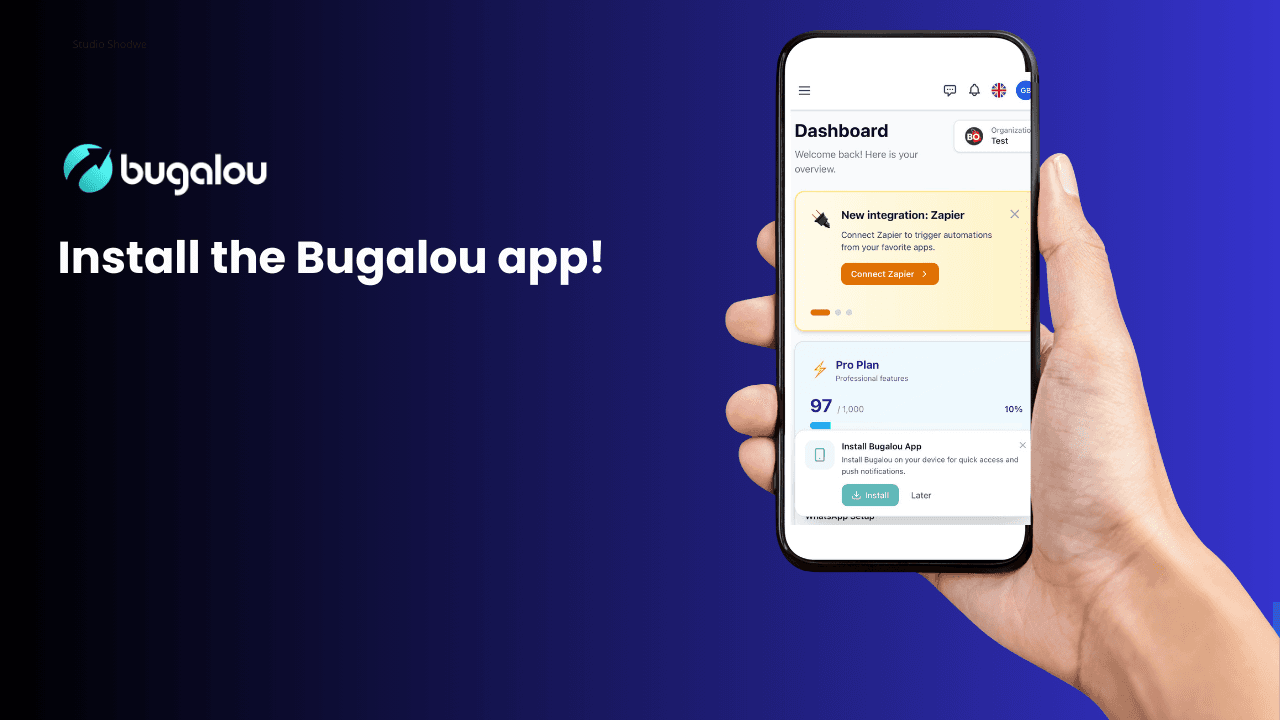
### Navigating the Bugalou Interface When you first log into the Bugalou app, you will be greeted with a user-friendly interface designed for easy navigation. The dashboard is intuitively organized, allowing you to access various features quickly and efficiently. #### Key Features of the Interface - **Dashboard Overview:** Provides a quick snapshot of ongoing conversations and notifications. - **Search Functionality:** Easily locate previous conversations or specific customer inquiries. - **Customizable Layout:** You can rearrange various sections to suit your workflow better. ### User Feedback and Improvement Feedback from Bugalou users has been overwhelmingly positive, particularly regarding the app's speed and reliability. Many users appreciate the ability to customize their experience to fit their needs, which enhances overall satisfaction. #### Statistical Insight A recent survey indicated that 85% of Bugalou users reported improved efficiency in their customer service operations after adopting the platform. ---Frequently Asked Questions
What devices can I use to install Bugalou?
Bugalou can be installed on any device that supports modern web browsers, including iOS, Android, Windows, Mac, and Linux devices.
Is Bugalou free to use?
Bugalou offers different pricing plans, including a free trial period for users to explore its features before committing to a paid plan.
Can I use Bugalou offline?
Yes, Bugalou's PWA functionality allows it to work offline, enabling users to respond to messages and inquiries without an internet connection.
How do I customize notifications in Bugalou?
To customize notifications, open the Bugalou app, go to Settings, and adjust the notification preferences according to your role and needs.
What support options are available for Bugalou users?
Bugalou offers various support options, including a help center, live chat support, and dedicated account managers for enterprise users.
How can I ensure a smooth installation of Bugalou?
To ensure a smooth installation, use a supported browser, keep your device updated, and follow the installation instructions carefully.

Founder of Bugalou and e-commerce entrepreneur. As a business owner, I noticed that customer service tools were either unaffordable or so complex you needed an IT department. That frustration led to Bugalou.
