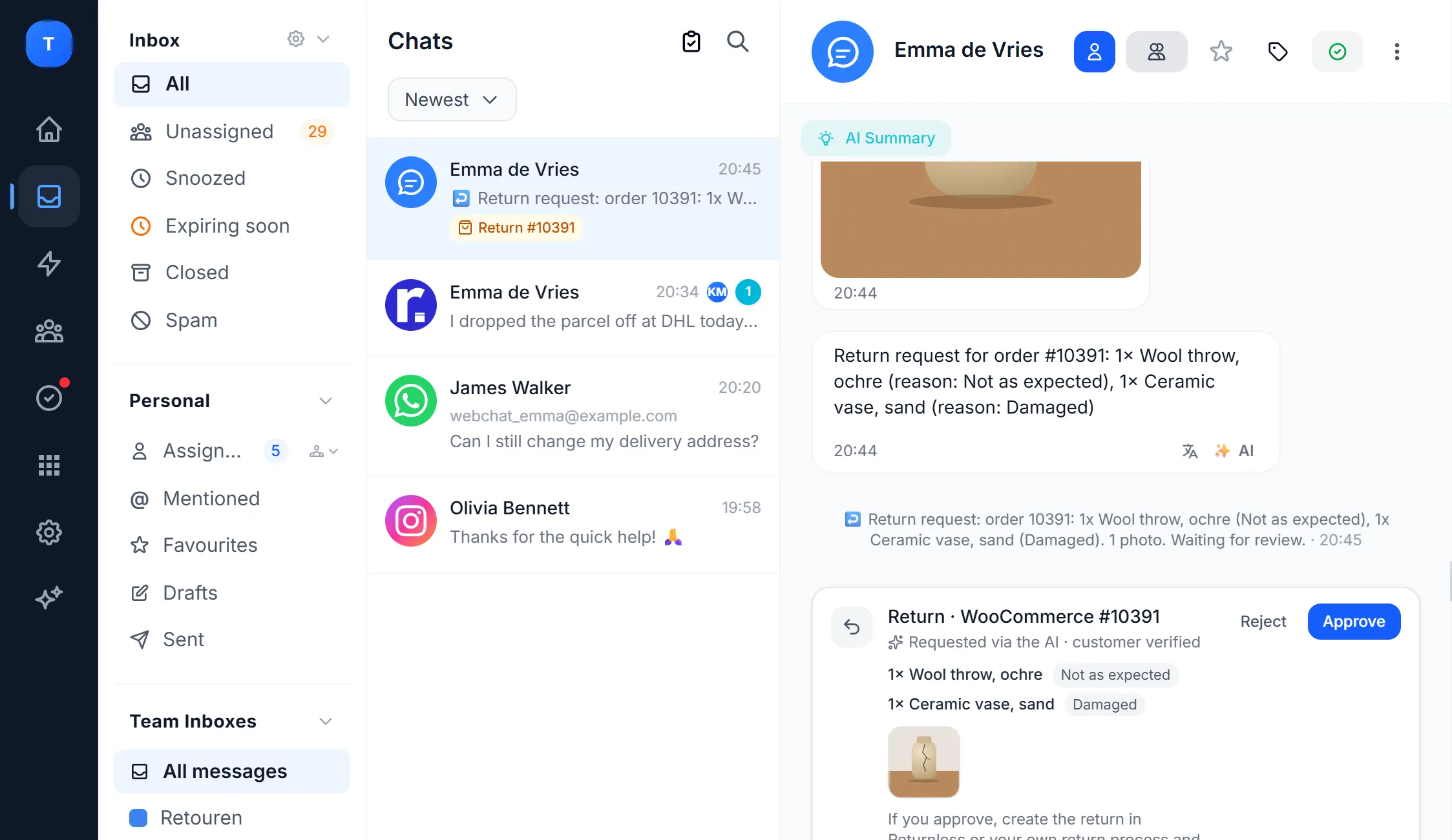
All your customer conversations in
one inbox
WhatsApp, Instagram, Messenger, email, website chat, SMS, phone and bol.com in one view, with the customer and their orders next to every conversation.

Emma de Vries
Where is order #10391?

Mila Jansen
Comment: is this in grey too?

Fleur Visser
Question about invoice #2291

Sanne Bakker
Can I still cancel?
Hi Emma! Your parcel shipped yesterday with DHL and arrives tomorrow.
Order #10391
Shipped1× Wool throw
1× Ceramic vase
Tracking
DHL · arriving tomorrow
Trusted by companies like











Every channel, one list
Connect the channels your customers use. Every message arrives as a conversation in the same inbox, with its channel.

WhatsApp Business API, also next to the app on your phone

DMs, story replies and comments on posts
Messenger
Messages to your Facebook page
Gmail
Your Gmail or Google Workspace address

Outlook
Outlook and Microsoft 365, or any address via IMAP
Website chat
Chat widget on your site, with help center
SMS
Through your own Twilio number
Phone
Calls and missed calls in the inbox

bol.com
Customer questions from your bol.com store
Forms
Every submission becomes a conversation
One customer, all their channels
Next to every conversation you see who the customer is: earlier conversations on every channel and, when you connect a shop, their orders.
- Orders from WooCommerce, Shopify, Lightspeed, bol.com and Picqer next to the conversation
- Return status from Returnless
- Same customer on WhatsApp and email? Merge the contacts or conversations
- Custom fields and notes per contact
Emma Clarke
Emma Clarke
WhatsApp · email3 earlier conversations
Work together without double work
Everything your team needs to reply quickly and without mix-ups.
Assign and distribute
Assign conversations to a colleague or team, or distribute them automatically, per channel or in turns.
See who is viewing
You see who has a conversation open, so nobody replies twice.
Internal notes
Discuss inside the conversation with a note the customer doesn't see. Mention a colleague with @ and they get a notification.
Labels, priority and folders
Sort by topic, mark what's urgent and filter your inbox by channel, label or colleague.
Translation
Read and answer messages in the customer's language. In Enterprise the inbox translates the whole conversation automatically.
Summarise with AI
Taking over a long conversation? One click and you read the summary.
Saved replies and automations
Save replies you give often and let automations label, assign or send a message.
AI agent on every channel
The AI answers standard questions and hands tricky conversations to your team, with the whole conversation attached.
How to start
Connect your channels
You connect WhatsApp, Instagram, Messenger, email and the website chat yourself in the dashboard.
Invite your team
Create teams, set how conversations are distributed and which labels you use.
Reply from one place
Everyone works in the same inbox in the browser, with the AI agent picking up the standard questions.
What customers say
 KoosOwner, Boender Outdoor
“With so many orders from different channels, our customer responses were chaotic. Bugalou brought everything together and our team can now reply immediately. Our customers are much happier too!”
 DennisOwner, Getdrezzed
“Previously our employees had to log into countless different platforms. With Bugalou everything is bundled in one central inbox. Our employees only need to log in once. That ensures more peace, more overview and a much more efficient way of working.”
 ToyshopXLReview on Google
“A well-organized tool for me and my team, with many handy automations. Bugalou is relatively new, but from what I can see, they have the potential to become very big! I am satisfied with this app, and considering the price compared to competitors, it is definitely recommended. The support also responds quickly to my questions, which is appreciated. In short, highly recommended.”
Frequently asked questions
Short, honest answers.

What is an omnichannel inbox?
Which channels can I connect?
What if the same customer writes on two channels?
How do I stop two colleagues answering the same message?
Can I reply in the customer's language?
What does it cost?
Mainly looking for a shared inbox for your team? Also see
Bring your channels together
Start free with the chat on your website, or try Starter and Pro for 14 days with all your channels. No credit card needed.