Zwroty i anulowanie z agentem AI
Agent AI przyjmuje zgłoszenia zwrotów i anulowania dniem i nocą: klient wybiera na czacie na stronie produkty, powód i zdjęcie. Zatwierdzasz w skrzynce, zwracasz pieniądze z poziomu Bugalou i widzisz zwroty z Returnless obok rozmowy.
Po angielsku
Kroki
- 1W agencie AI uzupełnij zasady zwrotów i termin w sekcji Shipping & Returns
- 2W Orders → Returns wklej link do portalu zwrotów albo włącz Return requests via the AI z terminem i powodami
- 3Włącz Cancel an order i wybierz, kto to wykonuje: zatwierdza pracownik lub AI robi to samo
- 4Na czacie na stronie klient zaznacza produkty, wybiera powód dla każdego produktu, dodaje zdjęcie i potwierdza
- 5Zgłoszenie trafia jako karta do Twojej skrzynki: zatwierdź lub odrzuć je i zwróć pieniądze z poziomu Bugalou (Shopify i WooCommerce) lub w Returnless
- 6Po połączeniu Returnless widzisz wszystkie zwroty klienta obok rozmowy, a notatki trafiają do Twojej skrzynki
Transkrypcja
A customer wants to cancel or return something. Your AI agent handles the request, day and night, and you stay in control. Here's how cancelling and returns work in Bugalou. Start with your AI agent. Under Shipping & Returns, fill in your return policy and your return deadline. It sticks to them in every answer. Do you have a return portal, like Returnless? Paste the link under Orders, Returns. The AI sends your customer the link and explains the steps. It never promises an amount or a date. Or let the AI take the request itself. Turn on Return requests via the AI, and choose your return window and the reasons your customer can pick from. Add a quick reply to your website chat: I'd like to return something. The AI first looks up the order. In your website chat, on Instagram and in Messenger, the customer shows it's their order with their email address or postcode. Then it checks: has the product shipped, and is it still within your window? Not shipped yet? Then it offers to cancel the order. Ordered via bol.com? Then it refers to bol.com. Hasn't the order shipped yet? Then the AI can cancel it. Under Orders, turn on Cancel an order, and choose who carries it out: a staff member approves, or the AI does it itself, right away, even at night. In the website chat, your customer sees their products with checkboxes. The whole order, or just a few products. Cancelling part of an order always goes to your team. On other channels, the AI simply asks in the conversation. The AI never refunds money by itself. Turn on Also refund when cancelling, and a staff member refunds with one click, for Shopify and WooCommerce. Ordered via bol.com? Then the customer cancels via bol.com. In the website chat, your customer picks the products, the quantity and a reason for each product. On WhatsApp, Instagram and email, the AI simply asks the same in the conversation. Your customer adds a photo and confirms the request. Until you've approved it, they can still withdraw it. The request arrives as a card in your inbox, with the products, reasons, photos and the estimated amount. You get a notification, and the conversation goes to your team. Approve the request or reject it. Then handle the return in Returnless, or in your own return process. No return portal, and want to refund from Bugalou? Then under Refunding after an approved return, choose In Bugalou. Is the parcel in? Tick the products, and the shipping costs if you like, and click Received, refund. This works with Shopify and WooCommerce, and Bugalou never refunds twice. Do you use Returnless? Install the Bugalou app from the Returnless App Store. Your returns come in right away, and with one click you also fetch your older returns. A customer asks where their return is? The AI looks it up by return or order number, and gives the status, the track and trace and the link to the status page. On the right of your inbox you see all of the customer's returns: the status, the order number, the amount and the live DHL status. With one click you open the return in Returnless. A customer adds a note in Returnless? It arrives as a conversation in your inbox, and your reply goes back as a note. Or let your AI agent reply right away. With an automation, your customer automatically gets a message when their return has arrived, or when it's been refunded. By WhatsApp, email or SMS, with a ready-made recipe. Do you use Picqer or bol.com? Their returns can start an automation too. Prefer a form? Use the Return or complaint template, with photo upload. What does it bring you? Fewer emails back and forth, because the AI asks for everything at once. Your customer gets an answer right away, even in the evening and at the weekend. No returns outside your window or without a photo. And you decide with one click, with the order and the return next to the conversation. The AI agent and the Returnless integration are included in Pro and Enterprise. Try Bugalou for free.
Więcej filmów
 1:58
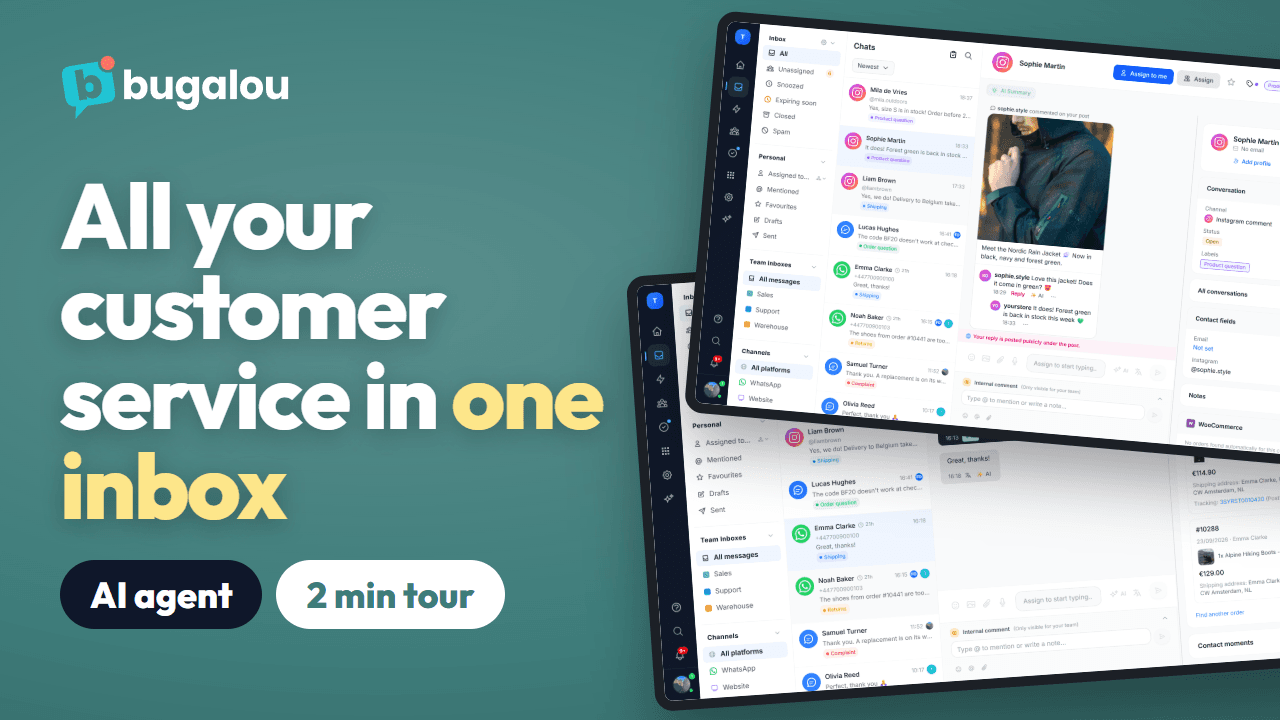
Bugalou w 2 minuty: obsługa klienta z AI i jedna wspólna skrzynka
Pełna prezentacja produktu: WhatsApp, Instagram, e-mail i czat na żywo w jednej wspólnej skrzynce, agent AI odpowiadający dniem i nocą, zamówienia obok czatu, czat zespołu, zadania, automatyzacje i raporty.
Obejrzyj →(Po angielsku)
 1:42
Jak skonfigurować czat na stronie w Bugalou
Czat na stronie dopasowany do Twojego sklepu, w każdym języku. Zainstaluj go jednym kodem lub wtyczką WordPress, WooCommerce albo Shopify, wybierz styl i to, co odwiedzający widzą najpierw, i pozwól agentowi AI odpowiadać, a zespołowi przejmować rozmowy w razie potrzeby.
Obejrzyj →(Po angielsku)
 0:45
Jak dodać czat na żywo do WordPressa w 2 minuty
Zainstaluj darmową wtyczkę Bugalou Live Chat, wklej klucz widżetu, a czat zacznie działać na Twojej stronie WordPress. Każdy czat trafia do skrzynki Bugalou, obok WhatsAppa, e-maili i Instagrama.
Obejrzyj →(Po angielsku)
 0:59
Jak połączyć WooCommerce z Bugalou
Połącz sklep WooCommerce w dwie minuty za pomocą darmowej wtyczki Bugalou for WooCommerce. Zespół widzi każde zamówienie obok czatu, a w płatnych planach automatyzacje wysyłają e-maile transakcyjne i wiadomości WhatsApp.
Obejrzyj →(Po angielsku)
 0:51
Jak połączyć Shopify z Bugalou
Zainstaluj Bugalou ze Shopify App Store, połącz sklep i włącz czat w motywie. Zespół widzi każde zamówienie obok czatu, a w płatnych planach automatyzacje wysyłają e-maile transakcyjne i wiadomości WhatsApp.
Obejrzyj →(Po angielsku)
 1:28
Jak skonfigurować agenta AI w Bugalou
Skonfiguruj agenta AI, który pomaga klientom dniem i nocą, w Twoim tonie i z Twoją wiedzą: stroną, feedem produktów i statusem zamówień na żywo, na czacie na stronie, WhatsAppie, e-mailu, Instagramie i Messengerze.
Obejrzyj →(Po angielsku)
 1:25
Jak połączyć WhatsApp Business z Bugalou
Połącz numer WhatsApp Business ze wspólną skrzynką, także numer z aplikacji WhatsApp Business. Ustaw zespół lub osobę dla każdego numeru, twórz szablony, wznawiaj rozmowy po 24-godzinnym oknie, wysyłaj automatyczne aktualizacje zamówień i pozwól odpowiadać agentowi AI.
Obejrzyj →(Po angielsku)
 1:02
Jak skonfigurować centrum pomocy w Bugalou
Opublikuj najczęstsze pytania pod własną marką i domeną. Klienci sami przeszukują artykuły lub wysyłają pytanie, które trafia do Twojej skrzynki, a agent AI odpowiada tym, co jest w centrum pomocy.
Obejrzyj →(Po angielsku)
 1:51
Skrzynka Bugalou w 2 minuty: WhatsApp, Instagram, e-mail i czat w jednym miejscu
Pięć kanałów, jedna skrzynka, a zespół zawsze wie, kto czym się zajmuje: filtry i foldery, etykiety, przypisywanie, szybkie odpowiedzi ze snippetami i AI, tłumaczenie, zamówienie klienta obok czatu, notatki wewnętrzne, zadania i 24-godzinne okno WhatsApp.
Obejrzyj →(Po angielsku)
 1:45
Automatyczne wiadomości WhatsApp po każdym zamówieniu
Automatyczna wiadomość WhatsApp po zamówieniu: gdy wpłynie albo gdy zostanie wysłane, z linkiem do śledzenia. Z WooCommerce lub Shopify w planie Starter albo przez webhook w planie Pro, wysyłana jako szablon zatwierdzony przez Meta.
Obejrzyj →(Po angielsku)
 1:53
Jak wysłać broadcast przez WhatsApp lub SMS
Jedna wiadomość do grupy klientów przez WhatsApp lub SMS, od razu lub o zaplanowanej porze. Tylko do kontaktów ze zgodą, z zatwierdzonym szablonem, zmiennymi i obrazem, a potem status dla każdego odbiorcy.
Obejrzyj →(Po angielsku)
 1:02
Automatycznie rozdzielaj czaty w zespole (round robin)
Automatycznie przypisuj nowe rozmowy z WhatsAppa, Instagrama, e-maila i czatu: do dostępnej osoby z najmniejszą liczbą otwartych czatów, po kolei w zespole dzięki regułom routingu (według słowa kluczowego, kanału lub godziny) albo z AI w planie Enterprise. Masz status nieobecności? Wtedy nie dostajesz nowych czatów.
Obejrzyj →(Po angielsku)